
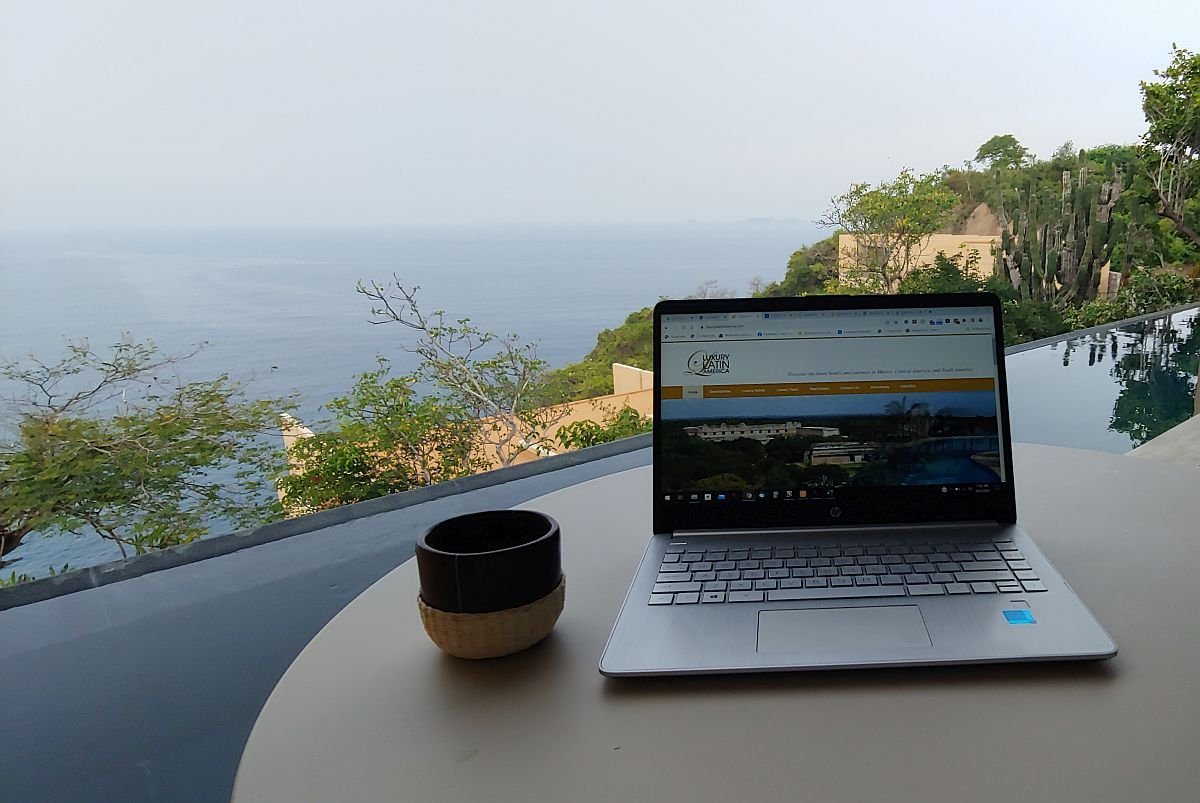
How to Work Remotely from Mexico Without Missing a Beat

If you’re looking to work remotely from Mexico, this idea is no longer a novelty and you’ll have a well-worn path ahead of you to follow. Mexico is the most popular country for remote workers coming from Canada or the USA thanks to its extensive flight connections, sunny weather, and close proximity.

It also offers a great value on everything from rental prices to eating out, plus a generous tourist visa policy allows stays of up to 180 days without applying for residency. There are more apps, tools, and books for learning Spanish than for any language besides English.
More people moved to Mexico from the USA and Canada in 2025 than emigrated in the other direction. Many of those flying south are not expatriates, but not exactly tourists either. The rise of remote work and businesses that can be run online means that many snowbirds and others coming south for months are doing the same work they did from home, just in a new environment.
Before you decide to pack your laptop and head out tomorrow though, there are preparations, tools, and strategies you’ll want to have in place as well. Getting set up with what you’ll need before heading out will save you a lot of hassles down the line.
Security Prep for Your Laptop
People seem to focus on dramatic security fears more than the mundane ones, so they worry about being kidnapped or facing cartel violence in Mexico instead of the much more common threats affecting tourists and residents. While the chance of being a violent crime victim in Mexico is lower than where you came from, cybercrime is a threat anywhere you’re logging in outside your home network.
Hackers get more sophisticated every year and knowledge spreads fast among criminals. Chances are you know at least one person who has been hacked or scammed from your circle of friends and relatives, especially if some of them aren’t very tech-savvy. Beyond the obvious advice of avoiding clicking on links that look official instead of logging onto the actual website and avoiding giving out your credit card info to anyone, there are tools that can protect you from malicious criminals.
The first layer of protection when you work remotely from Mexico is a Virtual Private Network. A Mac or Windows VPN encrypts all data transmitted between your device and the internet, making it unreadable to anyone monitoring the network. This is essential if you are logging onto a public network, from the airport where you arrive to that coffee shop or co-working space you’re using when outside your rental space.

Unless your rental home internet is open instead of behind a password, which is rare, you’re probably safe at home. In public spaces though, even one with a password, that connection is shared between many people—sometimes all 600 people staying at a hotel. Some people who have access might want to do more than check their e-mail. They might want to check yours instead, or worse.
You should also set up a few more tools to shore up your virtual fortress. The most obvious one is a combination firewall and anti-virus program that will keep malware and viruses off your site. It can scan your system regularly to look for items that shouldn’t be there and protect you from many phishing scams or malicious e-mails. I personally use Malwarebytes but have used AVG, Avast, and Norton in the past also. Most have family plans if needed for several of you.
A password manager like1Password or LastPass allows you to put an unlimited number of passwords behind one master one that only you can remember. So you can make individual site passwords complicated and the tool will autofill them without you typing anything. You don’t have to remember that your banking password is TY45&$hjrej98* because the app remembers it for you and fills it in. It can also save your credit card info in a manner that’s much more secure than having your browser do it.
Then use strong, unique passwords for every site. Enable two-factor authentication on all accounts that are in any way sensitive and when possible, it’s ideal to use a passkey, fingerprint/face recognition, or an authenticator app for an extra layer of security.
Tools for an Ergonomic Office Set-up
You can’t bring your entire office with you when you decide to work from Mexico remotely for a while, but that doesn’t mean you have to be hunched over your laptop for hours in a position that’s going to be bad for your posture. Even the best Mexico villa rentals will often come up short on the office set-up. A few tools that are easy to pack in a suitcase can do wonders for your back and shoulders.
The rise of remote work and digital nomads has created a big market for laptop stands, so you can find plenty of options on Amazon that are easy to fold up and fit into a laptop bag or your suitcase. The sturdiest ones are aluminum, like mine in the photo below, but if weight is a concern there are plastic options as well, like the Roost stand that is only six ounces. The point of this is to raise up your laptop so it’s level with your eyes, not in a low position that forces you to lean over and look down.

Pair this with a portable Bluetooth keyboard that can sit on your lap or on the table/desk so that your arms are in an L-shaped position instead of something more awkward. If you have the space, you can bring along a full-sized one (or buy one locally). I carry a small fold-up version though that takes up very little room when packing. Don’t forget to bring a mouse as well, wired or wireless, again keeping in mind the space you have available for packing. Though this is another item that is easy and inexpensive to buy locally just to use for a few months.
And yes, you can buy from Amazon in Mexico and have things delivered to where you’re staying. This could include a nice speaker for your favorite work music, an external monitor you’ll leave when departing, or even a better desk chair than the landlord supplied if you really want to duplicate the home office experience you left. Remote work doesn’t have to be uncomfortable.